|
|
|
| Our Review Costs & Features Videos User Reviews |
|
|
Editor's Star Ratings:
| Reliability: | |
| Security: | |
| Features: | |
| Ease of Use / Navigation: | |
| Ease of Joining / Registration: | |
| Customer Support: | |
| Value for Money: | |
| Overall Star Rating: |
Editor's Review:
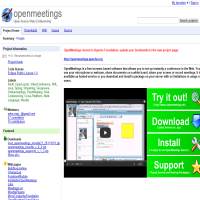
Open Meetings is an open source web conferencing application that can be used freely under the terms of the GNU license. Being open source, the application is not perfect and does not perform as well as some of the paid for services we have reviewed. However, it is constantly being added to and refined and anyone is free to develop new features for it. There are also several ways of accessing and using this system, including trying it out in your browser or downloading a zip file onto your computer. The site also links you to extra paid services, which you are free to examine and add to the free package.
OpenMeetings provides most of the features you would expect from a standard web conferencing tool. Meetings generally take one of two forms: up to 4 people interacting using desktop sharing and video conferencing or 1 person broadcasting to an unlimited number of participants, but with no interaction. Anyone in a smaller meeting can share their desktop and allow the other participants to see the applications they are using. It is also possible to upload content before the meeting so that it can be shared more quickly and easily during the meeting. Finally, whiteboarding functionality is provided so that anyone can highlight areas of the screen to make important points.
Communication in OpenMeetings is provided by the integrated audio/video streaming functionality. It is possible for smaller meetings of up to 4 participants to communicate at the same time, but for larger meetings only one person can broadcast while the rest listen. It would be easy to use the application in conjunction with an application like Skype, but no official integration is provided.
It may not come as a surprise but it's certainly worth remembering that this service does not perform as well as many of the paid for services on offer. It seems to require rather a lot of bandwidth even for small meetings and can be quite a drain on processing power too. No encryption is provided on communications, but integration with LDAP services for authentication is possible.
While OpenMeetings may be useful for home use or even for small businesses who really want to cut costs, larger businesses will probably require more reliability and quality of service. However, for a community developed application OpenMeetings is very good and provides a lot of useful features. It is definitely worth having a look to see if you can either add to it or make use of it in some way.
Click on the button below to check out Open Meetings for yourself...
» Click here to visit Open Meetings
or
« Back to our Top 10 Web Conferencing Services Reviews



Web site and all contents © Copyright No1Reviews.com 2024, All rights reserved.