|
|
|
| Our Review Costs & Features Videos User Reviews |
|
|

We have awarded Skype Conferencing our prestigious Bronze Award in this category, having reviewed 44 Web Conferencing Services. Read our review below to find out why...
Editor's Star Ratings:
| Reliability: | |
| Security: | |
| Features: | |
| Ease of Use / Navigation: | |
| Ease of Joining / Registration: | |
| Customer Support: | |
| Value for Money: | |
| Overall Star Rating: |
Editor's Review:
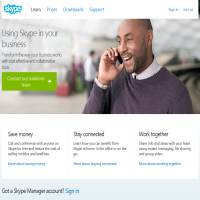
Skype is probably the best known and most widely used voice over IP call provider out there. The easy to use tool allows you to call any other Skype user absolutely free of charge using a microphone connected to your computer. It also provides a wealth of other features many people don't realise exist and very low cost, unlimited use subscriptions for calling standard telephones.
Signing up for a Skype account is completely free and very easy to do. Simply enter your details and download the application, which comes in Windows, Mac and Linux versions, then you are ready to start communicating with any other Skype users in the world. You can attach a headset to your computer to talk, or simply use a microphone and speakers. During calls you can also switch on your webcam to allow the other person to view a live broadcast from your computer. It is also possible to invite other people to join the call and participate in a full scale conference call. You can now also send files, share your screen and send contacts to individuals and groups.
To take advantage of some of the extra features of Skype there are two options for payment. If you choose pay as you go you can top up your account with credit at any time using a variety of methods. The credit in your account allows you to call landlines and mobiles anywhere in the world at very low cost, send SMS messages and use the voicemail and call forwarding features. Some of these features can be especially useful for businesses and it is possible to set up a business account to manage your employees' credit. The other option for payment is to take out a monthly subscription that allows you to make unlimited calls to your own country, one other country or the whole world. Subscriptions prices are extremely low and well worth considering if you often top up your account with credit.
Skype is an excellent application and used by so many people that you can all but guarantee the person you want to call already has an account. The free functionality will probably be enough for most people, but business users will benefit from features like voicemail and call forwarding. It has also made a number of upgrades in recent times which set it apart from many of its competitors. Signing up is free so we recommend trying it out today.
Click on the button below to check out Skype.com for yourself...
» Click here to visit Skype.com
or
« Back to our Top 10 Web Conferencing Services Reviews



Web site and all contents © Copyright No1Reviews.com 2024, All rights reserved.